

All configurators at a glance
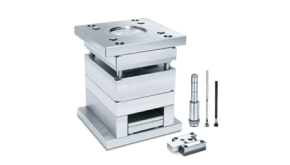
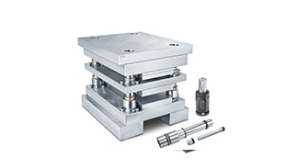
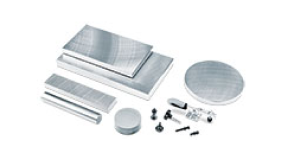
Here you will find all the configurators for mould making: for entire mould bases, hot runner systems, ejectors, guides and more.
Step by step to the right product

Start configurator
Save time on your projects and use our wizards and configurators to design the right mould bases and components for your needs directly in our portal.

Select your desired plate parameters
Benefit from the intuitive display and 3D preview of our products in the portal and define your own parameters.

CAD data, price and delivery time at a glance
Receive the fully configured CAD data for integration into your design including immediate information on price and delivery time.
Start configurator
Save time on your projects and use our wizards and configurators to design the right mould bases and components for your needs directly in our portal.
Select your desired plate parameters
Benefit from the intuitive display and 3D preview of our products in the portal and define your own parameters.
CAD data, price and delivery time at a glance
Receive the fully configured CAD data for integration into your design including immediate information on price and delivery time.
Start configurator
Save time on your projects and use our wizards and configurators to design the right mould bases and components for your needs directly in our portal.
Select your desired plate parameters
Benefit from the intuitive display and 3D preview of our products in the portal and define your own parameters.
CAD data, price and delivery time at a glance
Receive the fully configured CAD data for integration into your design including immediate information on price and delivery time.
Software solutions for your design process
Meusburger CAD tool
-
Compatibility with various CAD systems
-
Easy access to the Meusburger standard parts library
-
Integrated wizard for mould bases

NX tool – tailored to Siemens NX
-
Meusburger standard colour codes integrated
-
Components can be designed as native 3D data sets
-
Automatic adjustment of attributes when changes are made


Do you already work with the Meusburger colour codes?
The uniform, standardised colour codes for 3D CAD designs in mould and die making enable the clear definition of tolerances and features. This increases efficiency in the design process and ensures consistent implementation for all future projects.
How you benefit:
- Recognition in all common CAM systems
- Production can work directly with the CAD models
- Saves time in the calculation of components


Material selection made easy
Choosing the right material is often difficult, especially when there is a wide range to choose from. Our material selection wizard supports you with a user-friendly interface and application-specific filter options, so that you find the right material for your needs more efficiently and reliably.